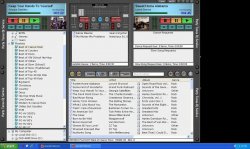
Rockit 5

To many ads? Support ODJT and see no ads!
I use V42 and am very pleased with it. I am interested in upgrading to V5. However, as it is the middle of a busy (finally!) wedding season, I have some hesitation. If I understand correctly, V42 will not get overwritten and still run. How about existing playlists? Can those be imported/read into V5? Thanks for great product and looking forward to V9/karaoke ;)
 
I use V42 and am very pleased with it. I am interested in upgrading to V5. However, as it is the middle of a busy (finally!) wedding season, I have some hesitation. If I understand correctly, V42 will not get overwritten and still run. How about existing playlists? Can those be imported/read into V5? Thanks for great product and looking forward to V9/karaoke ;)
all my playlist,library,etc was imported into V5 without a problem and i still have the V4.2 which i can open if i so choose.
 
The full version of V5, will auto import your library and playlists from a V4 version (if exists) -- the trial version doesn't do that.

V5 also has an option on the file menu for importing both V4 and M3U playlists :)
 
New skin time :)

For those who like the brushed aluminum look, I bring you the DJ-1100 skin (notice I stopped attempting to come up with cool names) :D

This is pretty high contrast, and should work well indoors or out -- 1280 x 800, and you can find it on the downloads page, in the widescreen section...
http://softjock.com/rockitprodj-skins.htm

DJ1100.jpg
 
RockIt Man,

When installing V5, it pulled in my playlists from V4. I thought I remember reading that the new playlist editor allowed sort and save functionality, but it doesn't appear to be working that way. Am I missing something?

Works fine here...? :dontknow:

The import just copies the files, since they are identical -- perhaps they were marked read-only or something...
 
Here's another one for you....

At the bottom of the Playlist Viewer, where it lists the name of the Playlists, how many items, and how many are selected, in V4, it also had total playlist time. I'm not seeing the total time in V5. It's appearing in the deck que's, but not anywhere else, such as the 'My Library', 'Most Played', 'Recently Added', etc....

(This particular skin is a V4 skin and I just copied and pasted it over from the V4 folder.)

Did you remove it?
 

Attachments

  • rockitv5.jpg
    rockitv5.jpg
    137.1 KB · Views: 8
Did you remove it?

Yes and no :)

Yes, by default it is off in V5, even if you use a V4 skin. I would not recommend putting it back in, as it was the single biggest slowdown when displaying lists, and would run CPU way up, potentially causing audio skips on long lists (like your library).

If you want it, and are willing to live with that, then you put the following in the "s-tracklist" field in the skin file:

time="1"
 
Thanks.....but, I hardly ever view my entire library...use my playlist folders predominantly. Btw, how does it get removed when copying a V4 skin over to V5?

V4 did not have that field available in the skin. If Rockit doesn't see the field time="x", it defaults to off.


After adding it back in and testing, I see no real large jump in CPU. Even my largest playlists, only jumps up to about 23%. Heck, I might even give V5 a run for the money this weekend. ;)

It makes a huge difference in large lists. I usually test with lists from 5-50,000 tracks, since many do not use playlists at all, except to run an occasional dinner set. Rockit has to cycle through the entire list twice with it on -- once for display, then another to add up all the times, and do the math and formatting.

Trust me -- my debugger program (along with a bunch of customers with huge lists of 100k plus), yelled at me for having that function in there... ;)
 
Just started digging around a little bit - is the Denon HD-2500 included in this? I think I remember reading somewhere that you might be working with Jon Tuck on doing that?

Yes, there's a 2500 mapper in V5 :)
 
Hey Rick...

Anyway to make the wave form stay on or remember the last one I choose? I like the bars! ;)


Geez, yer making me work hard today Randy... Had you looked at the DJ-900 skin, which has the waveform as its default, you would have figured it out already :yomoon:

But, since I'm doing all yer work for you today, just put value="1" at the end of the viewpeak lines in the skin.


BTW, still waiting for that beer......... :yosleep: :yoWave: