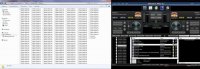
Ok, I cant remember how to do the screenshots. Can you tell how to real quick?
Click on Start->All Programs->Accessories->Snipping Tool, then when it shows up, just click on the Explorer window, and save it as something. Attach to your post here.
Ok, I cant remember how to do the screenshots. Can you tell how to real quick?

Ok, here it is.

I honestly have no clue Mike...
If you could email me two files, I could try and replicate the problem here:
Don't post them here, email to my support email from the website http://softjock.com/support.htm
I need the first history list of the year -- whatever date that is, and the RockitVJ.ini file, which is in the C:\SoftJock\RockitProDJ50 folder.
BTW, just a mention -- the new history files for this month, should be at the very top of the list, not the bottom -- it sorts left to right order...
I am using Aero, no customization. <check>
Show Bad Links Option is not turned on. <check>
For a RockIt created playlist for 1650 songs, it takes 9 seconds to pull up.In V4.2 on the same machine, it's instant.
(Btw, all playlists were recreated from the ground up in V5 when I was trouble shooting because I thought maybe there was an issue with just copying them from V4.2)


Sorry, missed this post earlier Randy...
I'm not even going to bother asking why you would have a playlist of 1650 songs -- I'll just assume yer doing a long dance set...
Anyway, I just created a playlist in V5, that has 1800+ songs, clicked back and forth a few times, and it takes < 1 second to display the list. CPU spiked to 7-11% during the display period, with a song playing at the same time.
Do me a favor, and email a copy of that playlist, so I can have my editor check it for special characters that may be in your tags.
I will email it to you; but it's just not one, but all of them with any size to them.
Remember, I duplicate my Windows folders into RockIt as playlists....so to keep the speed that RockIt offers by utilizing it's library.
I only have this issue with V5 running on W7 Ultimate.

Do you have bitlocker enabled?
Bitlocker is one of the unique features of Ultimate. When enabled in encrypts the contents of your hard drive adding a great deal of security but there is a price in the overhead of maintaining the security which I'm guessing you are seeing in the slowness.
Bitlocker is one of the unique features of Ultimate. When enabled in encrypts the contents of your hard drive adding a great deal of security but there is a price in the overhead of maintaining the security which I'm guessing you are seeing in the slowness.
Rick, is V5 built in a way that it would be affected and not V4.2?

No.
There's only one slight difference in the code in V5, and that is to check for NULLs in the buffer after the playlist has been read in from the drive. That's done in memory, and only adds a few milliseconds based upon my tests when I implemented it -- and born out by the results of me running your playlists on my system. There's no speed difference between 4.2 and 5.
The actual reading of the file hasn't changed from 4.2 to 5.
I'm not all that familiar with Bitlocker, so I don't know if it does any in-memory testing of data read in, and may have a handle on the buffer -- I sorta doubt it though...
You might want to give me all the hardware specs on the machine you're having problems on (and all software installed), so I can take a look around and see if anybody else is having problems with other software using your particular configuration -- that might help pinpoint the cause...
I'd be glad to test things out just to rule out it being an Indiana thing... just send me a FREE copy of Rockit :triwink:
maybe when you moved them in V5 they got corrupted somehow.I do NOT have bitlocker enabled.
So...again, I can't understand why V4.2 has no issues with playlists and V5 does.
maybe when you moved them in V5 they got corrupted somehow.
You might want to give me all the hardware specs on the machine you're having problems on (and all software installed), so I can take a look around and see if anybody else is having problems with other software using your particular configuration -- that might help pinpoint the cause...