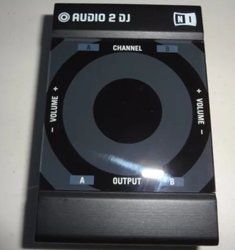
OK... Traktor DJ 2 runs fine on my Dell laptop. It takes quite a while to start up, which makes me wonder if it would have run on my Lenovo laptop if I hadn’t become impatient and clicked on the icon multiple times???[emoji1] It works with my Traktor Audio DJ 2 with not much of a problem, but it didn’t automatically configure it like Traktor Pro does.
Now... What do I think of it???... Not much. The interface is just OK... very minimal. Can’t reposition or change/add column headings in the music list. Setup options are few. You have three appearance options, but only one that’s worth a damn as far as I’m concerned. The only way to load a track is to drag it to a deck. No ANALYZE option, so tracks don’t get analyzed until you load ‘em in a deck the first time you play them. They analyze pretty quickly though, so I guess that’s good. No End-Of-Track warning and no place to set it up. Actually, there are only three settings/preferences; Output Audio Device, Routing Master Output and Monitor Output. The File option (on the menu bar) is only for importing music, and the View option is only for toggling into Fullscreen mode, but when you do, you’re screwed... no menu bar; no minimize, no exit button, and no way to toggle out of Fullscreen Mode. F11 toggles you out of Fullscreen Mode, but if you forget that’s how to toggle out then the only option is to use the Windows key so you can stop the program from the Task Bar.
Looks like most everything else you need for playing/mixing your tracks is there except for Cruise Mode (Auto Mix). I use Cruise Mode to test with so I don’t have to load tracks one at a time for an extended period of time, but Traktor DJ 2 does not appear to have it. It DOES have place where the application suggests what to play next. Pretty cool, but not sure how useful that is.
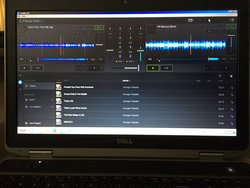
So... could I use this app (Traktor DJ 2) for mixing at a REAL gig???... Maybe.... As a backup... perhaps, but not for very long. It IS free, so there’s that, but I think Mixxx is MUCH better and also free.





