Randy,
Those are pretty simple Randy...
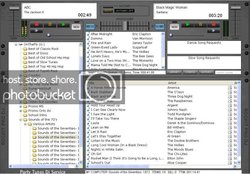
Any graphics program (including Windows Paint), will show you the mouse coordinates as you move it over an image.
So, for this example, load the skin background file into MS Paint, and find the top left area where you want say Deck A's drop zone to be. The coords will display on the bottom, and that becomes the x and y values (x=left, y=top).
Move to the bottom right of the area you want, and those become the r and b values, respectively.
Remember not to have those values go over a list control, such as a deck queue, otherwise when you drop a file, they will compete, and you will get what we in the programmer business call, "Undefined Results"... :sqerr:
What that means, is I have no idea who will get the drop, if anybody