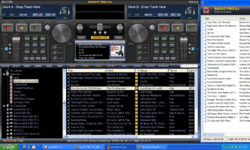
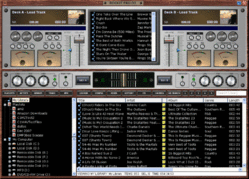
Got it. so when I download 4.1 is it a trial or the full version? Also How come some of the skins not work in 4.1? I really liked silver 800x600, but does not work in 4.1.
Works fine here???
Got it. so when I download 4.1 is it a trial or the full version? Also How come some of the skins not work in 4.1? I really liked silver 800x600, but does not work in 4.1.


I'll be loading it up on the gig machine this weekend and playing with it. But, I'm not sure I'll add anymore comments......I just want the simple things in life, but they appear to be too much work for ya.
I honestly haven't had a lot of time to play with it.
I have, currently, no use for video. Can I swap out the video module for the Auto-mix? I did see that Auto-mix is still there as a right clik option.
Hmm...since I haven't used it at a gig yet, I didn't notice until you mentioned it that the deck ques are not visible.

Rick, if I have a skin smaller than my screen and I move it's position, is there a way to make Rockit remember that positon and open it there all the time?
Just set the positions in the skin file.
For example, change the x and y coords for the background image. You will also have to change the coords for deckadrop and deckbdrop, if you want them to match.
These are the lines of interest in the skin file:
<background image="DarkWood.bmp" x="0" y="0" width="1024" height="734" type="DJ Std"/>
<deckAdrop x="042" y="039" r="352" b="277"/>
<deckBdrop x="668" y="039" r="1013" b="277"/>
<videodrop x="372" y="039" r="643" b="277"/>
Thanks, I knew that. :sqconfused: