



MP3 Gain Settings
- Thread starter Randy A
- Start date
You are using an out of date browser. It may not display this or other websites correctly.
You should upgrade or use an alternative browser.
You should upgrade or use an alternative browser.

You should only check two options:
No check for Layer 1 or 2
and
Add subfolders
Apparently, when the program was written, it was set to label anything over a threshold of 89 dB as 'Clipping'. With that being said, the tracks don't really clip and sound great.
mmmmm I beg to differ..... I have some tracks that according to MP3Gain when analyzed show that they are 99+ db and yet no indication that they may be clipping according to MP3Gain and I have several tracks that were just fine before MP3Gain and after were clipping very badly even though MP3Gain said they weren't.... not to mention that on many files you could hear split second silences in the results..... sorry wont use it again.
I haven't come across that... :sqconfused:
Is it at any particular place in the songs, such as a high or low section? I have the source code for it, so I can always rebuild the program (if I ever get some time)...
I experienced these dropouts at high points mostly but, on occation I noted it at midlevel points in some songs.... believe me I spent a lot of time trying to figure out what I was doing wrong that everyone else seems to be doing right... but I always end up with the same results: Low DB songs end up distorted and I have dropouts in many of the other files.

I experienced these dropouts at high points mostly but, on occation I noted it at midlevel points in some songs.... believe me I spent a lot of time trying to figure out what I was doing wrong that everyone else seems to be doing right... but I always end up with the same results: Low DB songs end up distorted and I have dropouts in many of the other files.
What program did you originally use to rip your songs...?
Good question Rick. I used Audiograbber with the LAME decoder myself. Yes, I know you didn't ask me.
Why convert at all? Try Breakaway
I don't see the need to normalize or "gain" your files at all. Breakaway audio enhancer does an amazing job of normalizing on the fly without altering the file. It will normallize every sound exiting your computer. I have been using it for 2 years now and I won't leave home without it. It will minimize to your tool bar, and you can watch it work.
www.claessonedwards.com
Mrmarog
I don't see the need to normalize or "gain" your files at all. Breakaway audio enhancer does an amazing job of normalizing on the fly without altering the file. It will normallize every sound exiting your computer. I have been using it for 2 years now and I won't leave home without it. It will minimize to your tool bar, and you can watch it work.
www.claessonedwards.com
Mrmarog
You don't hear a difference in songs that started off with a db level lower than 96? I found that mine even with the No Clip setting still clipped badly... and when other tracks are listened to there is an audiable gap in the tracks.... if it were random I could write that off as a playback issue but I can play the track over and over and hear the gaps in the same place each time.
Thoughts?
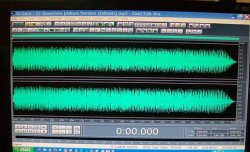
I only know enough to be dangerous but here is a audio file I have (50 cent 21 Questions) with the mp3 gain set at 96. You can see it's well short of clipping.
Not sure what you mean by audible gap in the tracks..a dropout? Never had anything like that.
Well now that may not be true...I think I have experienced that (when I first started ripping my collection) but it was a ripping issue.
I use media monkey and it works swell.
Attachments
What program did you originally use to rip your songs...?
Audiograbber following your online instructions with the exception of how it saves the mp3 as far as location I don't use the subdirectory method you describe but all other settings are identical and I am using the Lame encoder from your site as well.
When I listen to my un-altered files they are just fine... it's after they are processed that I have a problem. Maybe I have an old version of mp3gain???? What's the most current version?
Audiograbber following your online instructions with the exception of how it saves the mp3 as far as location I don't use the subdirectory method you describe but all other settings are identical and I am using the Lame encoder from your site as well.
If I recall, you use that french software to play your music. Perhaps it is having issues with something related to what MP3Gain does (IIRC, it does some sort of gaining itself)
 ...
...Again, I've never had any dropout issues. Can you take a straight from the rip file, play it all the way through on WMP, then gain it to a copy and do the same, and get a dropout...?
The only way you are gonna find out for sure what is happening, is to do some controlled tests like that... Rip a CD, listen to a couple tracks all the way through, then gain them and do the same. Use WMP to test, so you don't have any other potential variables.
If I recall, you use that french software to play your music. Perhaps it is having issues with something related to what MP3Gain does (IIRC, it does some sort of gaining itself)
Again, I've never had any dropout issues. Can you take a straight from the rip file, play it all the way through on WMP, then gain it to a copy and do the same, and get a dropout...?
The only way you are gonna find out for sure what is happening, is to do some controlled tests like that... Rip a CD, listen to a couple tracks all the way through, then gain them and do the same. Use WMP to test, so you don't have any other potential variables.
I'll do a handfull to cover the db spectrum that i have and see what happens. In fact I have three new CD's I just ripped I'll test those files since they have never been touched yet.
I'm using V 1.2.5, with backend 1.4.6.
I'll check my version when I get home tonight and post what I find...
I tested out 2 different files Mas Tequila and I Shot The Sheriff.... in WMP I can't hear any audiable defects in either the untouched file or the one set to 92 db by MP3Gain.... in VDJ however with the Auto Gain set to Auto or Auto+Remember I can hear minor defects but none as pronounced as before..... I then turned off the Auto Gain setting and no defects were detected.... now I still don't know about tracks where the db level was more than 4 below the desired db setting in mp3gain those as I said were severly distorted.... I have a duplicate library on a second drive and I am going to run mp3gain set to 92 db on it and do comparisons to see if I can hear a differenece.....
I will say this in comparing the two files I did something that I hadn't noticed before was evident in the Mas Tequila track that was set to 92db and that is I can hear when listening critically what sounds like something is missing or drops out... kinda like the difference between say a 320k file and a 128k file some frequencies do drop out from time to time....
I know I'm being anal about this but it bugs the crap out of me.
I will say this in comparing the two files I did something that I hadn't noticed before was evident in the Mas Tequila track that was set to 92db and that is I can hear when listening critically what sounds like something is missing or drops out... kinda like the difference between say a 320k file and a 128k file some frequencies do drop out from time to time....
I know I'm being anal about this but it bugs the crap out of me.
I tested out 2 different files Mas Tequila and I Shot The Sheriff.... in WMP I can't hear any audiable defects in either the untouched file or the one set to 92 db by MP3Gain.... in VDJ however with the Auto Gain set to Auto or Auto+Remember I can hear minor defects but none as pronounced as before..... I then turned off the Auto Gain setting and no defects were detected.... now I still don't know about tracks where the db level was more than 4 below the desired db setting in mp3gain those as I said were severly distorted.... I have a duplicate library on a second drive and I am going to run mp3gain set to 92 db on it and do comparisons to see if I can hear a differenece.....
I will say this in comparing the two files I did something that I hadn't noticed before was evident in the Mas Tequila track that was set to 92db and that is I can hear when listening critically what sounds like something is missing or drops out... kinda like the difference between say a 320k file and a 128k file some frequencies do drop out from time to time....
I know I'm being anal about this but it bugs the crap out of me.
There seems to be quite a bit of talk and chatter about this same issue on the VDJ forums. It seems like something is a miss with the VDJ Auto Gain Algorithm.
May be worth it to just keep it off and manually set the gain.
I gain set my backup drive to 89 and started playing music from it and comparing to the un-altered tracks and still noted audio issues.....
I then looked at additional sound settings in VDJ and set up some of the advanced alogrhythems... this seems to have solved the gapping issue.... the jurry is still out on the overdrivin' sound some files displayed but so far I'm pleased.
I then looked at additional sound settings in VDJ and set up some of the advanced alogrhythems... this seems to have solved the gapping issue.... the jurry is still out on the overdrivin' sound some files displayed but so far I'm pleased.
I then looked at additional sound settings in VDJ and set up some of the advanced alogrhythems...
I've heard rumor, that if you take French classes, it gets easier... yorofl:
STFU..... LOLI've heard rumor, that if you take French classes, it gets easier... yorofl:
Ya the French seem to have hid all the good stuff in the menu's..... rotten bastidges......
BTW I went to the default 89db setting because my lowest track reading was 86db and I didn't want more than a +3db gain applied due to the overdrive problem of those lower db tracks...
I am using the Auto+Remeber AG setting and it seems to be ok...

Rob, Rob, Rob,
The import meat has screwed you up (Literally) yorofl:yorofl:yorofl:. I've been using mp3 gain to check the files after making the copy from a new wav file in Sony Sound Forge, I turn the auto gain off in VDJ and the small adjustments are made with the channel fader in the mixer and PFL meter old school style No problems with it and I'm also very picky with the quality of my files
The import meat has screwed you up (Literally) yorofl:yorofl:yorofl:. I've been using mp3 gain to check the files after making the copy from a new wav file in Sony Sound Forge, I turn the auto gain off in VDJ and the small adjustments are made with the channel fader in the mixer and PFL meter old school style
No problems with it and I'm also very picky with the quality of my files 