Splitting A HDMI Signal

To many ads? Support ODJT and see no ads!

ahoustondj

Mac Daddy DJ
Aug 13, 2007
20,235
3,465
Texas
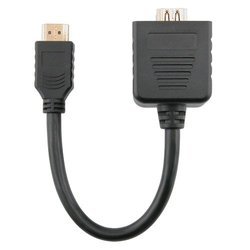
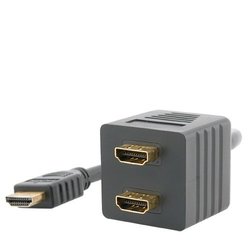
The Monoprice disclaimer for the first one says:

NOTE: It is STRONGLY recommended NOT to use this passive splitter with longer lengths of HDMI® cables. Also, since passive splitters do not negotiate individual handshakes between connected devices and do not pass HDCP information back to the source device, passive splitters are not recommended for most home theater applications. For home theater applications, using an active or powered splitter is highly recommended. If you're looking for a 1x2 HDMI® splitter for a home theater application, we recommend using product ID 4921.

I would suspect jitter, but probably not enough to cause issue with Karaoke. The bigger issue would be the length of the cable. I would guess up to 6' is good. If you're thinking of 20+ ft, get an active splitter.
 
Thanks. I will look on Monoprice to see if they have a comparable Powered Splitter. I may go with the one from Amazon because there are some other non DJ items that i have to buy so if I have enough purchases I won't have to pay Shipping.
 
it should read SPLITTING AN HDMI CABLE
Why? Since when is the letter "H" a vowel? The Cable is irrelevant. The signal coming out is what matters. It can loose its power or cause jitter (As Steve stated) between the two units because of common connections.
 
The problem comes from the devices at either end and not really from the splitter. Any modern display with an HDMI connector likely has auto-detect inputs and if you are using a switcher that device needs to keep a constant sync signal going to the inputs of the display to avoid having it re-scan or reset itself every time you switch inputs.

Also, as others pointed out any serial communication or talk back features will collide if not buffered. This may or may not cause any issues with your video and audio signals - but, control and display features of switchers and scalers will probably not function properly, nor will a computer be able to auto-detect the required output resolution if connected directly.

Some of this can be setup manually to avoid the issues, but HDMI is only good over something like 20-40 feet of cable without a repeater and a passive split will only make that worse.

I would suggest using a balun to make the longer run first over Cat-5, then actively split the HDMI at the other end with shorter cable runs to the displays.
 
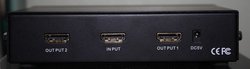
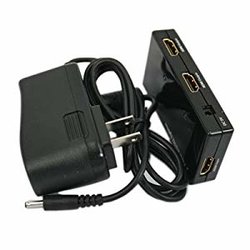
For Karaoke, I will purchase the powered version displayed above. I am also buying HDMI cables in the following lengths: 10', 15', 25' and 50' plus a coupler. Depending on the setup/venue I may have the singers close to my booth or a bit further. The Venue's TV and especially their Projector is usually much more distance away. The coupler will give me the ability to create custom extension lengths
 
Why don'y you just convert an output to RF on coax and feed the entire club system through it's existing cable feed?
 
I use the rocketfish splitters from bestbuy. There a hundred bucks each but they have been working perfectly for the past 2 years. I do have a backup with me at all times though.. There not a bad investment. I run full HD with 25' or 50' lengths with no issues.
 
Splitter
 
If what I buy does not work I will return it and go the next step up.

The dollar store gives refunds...? xf:D


I think Bob pointed you in the right direction -- whether you choose to listen to it, is your own choice...

BTW, there's a difference between "loose" and "lose" -- it's sorta like "advise" and "advice"... ;)
 
The dollar store gives refunds...? xf:D


I think Bob pointed you in the right direction -- whether you choose to listen to it, is your own choice...

BTW, there's a difference between "loose" and "lose" -- it's sorta like "advise" and "advice"... ;)

See my signature, LOL
 
Why don'y you just convert an output to RF on coax and feed the entire club system through it's existing cable feed?
When you go to a Club or Sports Bar that has multiple projectors and TVs you can't just monopolize them all unless you want to get killed by avid sports fans. I usually use the one (for the audience) that is best seen by all in the venue. I cannot begin to tell you how many kinds of converters and different cables I have that are now probably not going to be used much. With the new laptop I have coming, I am making preparations.
 
The dollar store gives refunds...? xf:D


I think Bob pointed you in the right direction -- whether you choose to listen to it, is your own choice...

BTW, there's a difference between "loose" and "lose" -- it's sorta like "advise" and "advice"... ;)
It is not a matter of mere listening, one has to take into consideration accessibility and monopolizing all the TVs.
 
When you go to a Club or Sports Bar that has multiple projectors and TVs you can't just monopolize them all unless you want to get killed by avid sports fans. I usually use the one (for the audience) that is best seen by all in the venue. I cannot begin to tell you how many kinds of converters and different cables I have that are now probably not going to be used much. With the new laptop I have coming, I am making preparations.

You can go directly to the one TV you want and replace it's cable lead with your coax. It is also easily split in a daisy chain to go to multiple TVs. You can amplify it cheaply for distances over 1000 Ft.