Hey guys External HD....in a Jam

To many ads? Support ODJT and see no ads!

dj_mason

New DJ
Mar 18, 2008
275
0
34
Prince Edward Island
:sqerr::sqerr:I cant find this anywere on google :(

I need to set my harddrive to always open under the F: Drive on Vista..It used to but know it wont and my library is saved to open under the F: Drive and now when I plug the HD in its going G: or another letter if my ipods plugged in...HELP I need it ASAP

Thanks:sqrolleyes:
 
:sqerr::sqerr:I cant find this anywere on google :(

I need to set my harddrive to always open under the F: Drive on Vista..It used to but know it wont and my library is saved to open under the F: Drive and now when I plug the HD in its going G: or another letter if my ipods plugged in...HELP I need it ASAP

Thanks:sqrolleyes:

unplug everything and if you don't have a drive D: plug in your Ipod.... then the hard drive..... then the rest of your drives....

The drive letters go in the order on which they are attached starting with internal drives.... then USB drives.....
 
Same thing Harddrive wont go to F:

Its supose to always go to F: but I forget how
 
With all your drives plugged in (iPod and all)....

Go to START, RUN, type in
" compmgmt.msc /s " ;

When the screen comes up, click on disc management;

Highlight drive letter G no matter what it is, right click, select properties, click change drive letter, then select a drive letter far enough any from your existing assignments, click ok.

Now click on the drive that is currently F: and make it G: (and any other drive letter that's giving you fits, and change it too).

Finally, when you get to your music drive, assign it to F: and you should be back in action.

(Note: Your prime purpose is to assign any drives or peripherals that are trying to become letter assignment F into some other drive letter assignment, then, lastly. assign that music drive to F. It will stay that way no matter what else you plug and when.)

NOTE: There is NOTHING better than a plate full of cold turkey (amply salted), cold dressing, and a Molson's Canadian brew. Just a bit this side of heavenly.
 
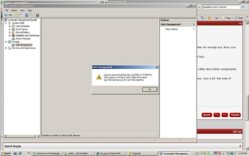
:sqerr:Thanks CAP this is what comes up tough


Im lost...
 

Attachments

  • problem.jpg
    problem.jpg
    59.8 KB · Views: 12
Goto My Computer -> Right click -> Manage -> Storage -> Disc management -> Right click the external hardisk of yours in the display shown there-> Change Drive letter and Paths -> Done !!!

I had the same issue once and i figured this out through a forum :)
Hope this helps you bro!
 
Shaun got it Mason do what he said it will work
 
About the pic that u have attached Mason, i suppose you did not attach your external hard disk and/or you must've not logged in admin account. I just enquired a friend who's a network engineer and he kinda told me this. Just tryin to help you out :) Dont know how far this fact could help you out. If it does so.. Cheers!
 
I am quite far. Almost something like a 2 day train journey away! But the events at mumbai have held everyone in india glued to the tv sets. God! its horrible the turn of events. Wonder what those wretched terrorists want? What the hell do they gain by killing innocent civilians,women and children!! People who were just waiting at a railway station ready to go home and spend a good time were killed in cold blood. Very sad...very heart wrenching. We were all praying for the others down south.
Thank you for asking jon
 
We are very proud to have an East indian amongst us. Especially since you are in fact a doctor. We have a Doctor onbaord here regularly SVO is our resident PAthologist. From Mexico. We are truely an international site and love our friends from other places. Youshall fit in fine here Shaun thanks for sharing with us.
 
Folks this is a testament to our international groove. Its contagious and folks from allover the world say the same thing. This is the best DJ forum across the globe!