


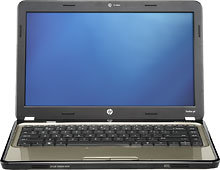
Just bought a new laptop

To many ads? Support ODJT and see no ads!

rickryan.com

Mac Daddy DJ
ODJT Supporter
Dec 9, 2009
20,047
18,429
62
Hendersonville, TN
www.rickryan.com
2753496_sb.jpg

http://www.bestbuy.com/site/HP+-+Pavilion+Laptop+/+Intel%26%23174%3B+Pentium%26%23174%3B+Processor+/+14%22+Display+/+4GB+Memory+/+320GB+Memory+-+Pewter/2753496.p?id=1218348481450&skuId=2753496

$349. HP Pavilion, Pentium CPU, 4gigs RAM (8 max), 320 GB HD, Win7. I've already loaded music and slideshow software and it seems much snappier than my older AMD dual-core and the Intel processor seems to be running much cooler than the AMD (although that could be the way it's vented). I'm in the process now of re-playing a bunch of old playlists (to update play counts) and re-categorizing various smart views. This is my first unit with HDMI and wifey thoroughly dug me running netflix on the living room flat-screen last night.

Just thought I'd pass it along.
 
I'd be very careful with that for anything CPU intensive. That CPU is a freak of nature built for a pricing model of laptops that would otherwise cost too much with an i3 chipset. It is single threaded only and only having 2MB of cache is from 2 generations ago, but without hyper-threading that may be all the cache it can use.
 
Scott, thanks for the useful post.

I'm in market for NEW laptop for DJ gigs. I don't do Karaoke. I use OTSAV software. What would you suggest...it must be a 17" screen. I suppose we are stuck with Win 7 operating system. I'm still using Win XP. If you care to PM me that's OK, too, but I'm sure others may want to read your reply. Price is definitely an issue at the moment...between $500-700. I'm a HP Pavillion zd8000 user now.
 
My dell laptops are 5 and 4 years old; the xp box has 1 gig of ram and has an AMD X2 64 processor. The other Dll runs Vista Home Premium on 2 gigs of ram with an Intel Pentium dual core....
I run VDJ 7.04 on both.....audio only, no video or karaoke; these machines run fine. I've run VDJ on an old tablet PC with a lame AMD proc and 512 mb of ram...it ran fine....

the laptops were $499 back in that day

i don't think you need a powerhouse to run audio only. At $349, I'd buy 3
 
Scott, thanks for the useful post.

I'm in market for NEW laptop for DJ gigs. I don't do Karaoke. I use OTSAV software. What would you suggest...it must be a 17" screen. I suppose we are stuck with Win 7 operating system. I'm still using Win XP. If you care to PM me that's OK, too, but I'm sure others may want to read your reply. Price is definitely an issue at the moment...between $500-700. I'm a HP Pavillion zd8000 user now.

This thread is one of many here with useful info about laptop selection. http://ourdjtalk.com/threads/34256-Dare-I-Ask-New-Computer-Time

Determine what you need for performance first, then adjust specs to attain your price target. Your software vendor should be able to help you with details. A reasonable spec for video use would be an i5, dedicated video processor, 4GB ram, 500GB 7,200 rpm drive. Audio only could get by with an i3 but you'd still want the min 4GB ram & 500GB 7,200 rpm drive.
 
I am surprised that some are buying Gig Machines off the shelf from places like Best Buy. Like Steve LeBlanc, I am using the same laptop now for 5 years with no poroblem. I use it only for DJing. I ordered it custom built from Dell and paid about $1,500. back then. If and when I get ready to buy another, I will be custom ordering again. Bear in mind the laptops from 5 years ago or before were more ruggedly built than those being made today.
 
I agree Steve, brands make very little difference anymore when comparing similar hardware. The trick is understanding the specs and finding out where they cut corners to save money. This throwback CPU being a prime example. Throwback Pepsi is probably better with real sugar than hf corn syrup, but computers really should have the latest & greatest technology within reason to have a long lifespan. Leading edge yes, bleeding edge is best saved for thrill seekers, but buying brand new old technology usually means limited capabilities. It was made for a VERY low pricepoint for people who would be happy with a 5+ year old laptop because all they use it for is reading email and light surfing. On the business side this chip doesn't exist, it's a consumer only item.
 
Scott - if you're running solely audio, I don't think you need a leading, bleeding edge laptap...way overkill imho.

Sure a $399.00 laptop won't run the latest games; people are running VDJ on netbooks and the fact that Hiouston and I run 5 year old technology with no issues just re-affirms that you don't need to buy a $1500 laptop to run just audio.

Look at cell phones; if all you're doing is making phone calls, why upgrade that 5 year old phone?
 
Bear in mind the laptops from 5 years ago or before were more ruggedly built than those being made today.

Oh that is so true! My laptops are all Dell. My main one is SIX years old - NEVER been on line and runs only RockIt.

My backup is EIGHT years old - also never been on line but weighs probably double of the six years old one.

And my new home laptop is much lighter that the six year old one.

I have a 12 year old HP laser printer at home and it ways a ton compared to the flimsy pieces of junk sold today.
 
Ive had Dells, and now have two Toshibas, exactly alike 320 gigs, 3 gig memory, Windows 7, playing PCDJ DEX, with harddrives exactly alike, all is good, these units were in the 349 range, and every 1 1/1/2 I update the oldest one, by selling it for 75 % of its value , ad a 100.00 get a new one, works for me,,,
 
I agree Steve, brands make very little difference anymore when comparing similar hardware. The trick is understanding the specs and finding out where they cut corners to save money. This throwback CPU being a prime example. Throwback Pepsi is probably better with real sugar than hf corn syrup, but computers really should have the latest & greatest technology within reason to have a long lifespan. Leading edge yes, bleeding edge is best saved for thrill seekers, but buying brand new old technology usually means limited capabilities. It was made for a VERY low pricepoint for people who would be happy with a 5+ year old laptop because all they use it for is reading email and light surfing. On the business side this chip doesn't exist, it's a consumer only item.

I realize this machine's CPU is "throw back" but it appears to be way more than I even need for this task. I run:

1) winamp
2) a custom slideshow program (uses 2nd screen/projector)
3) a web browser and verizon broadband connection

Been banging on it all week and no hiccups. It gets its first run tomorrow night and I'll have a netbook as backup with ipod as 2nd backup. Fingers crossed but it looks good so far.
 
I realize this machine's CPU is "throw back" but it appears to be way more than I even need for this task. I run:

1) winamp
2) a custom slideshow program (uses 2nd screen/projector)
3) a web browser and verizon broadband connection

Been banging on it all week and no hiccups. It gets its first run tomorrow night and I'll have a netbook as backup with ipod as 2nd backup. Fingers crossed but it looks good so far.

I seriously hope it works well for you. I'm just saying from a business perspective I see more value in purchasing current technology and expect it to last 3 years, then relegate it to backup use and buy a new one. That's common practice in the corporate world for a good reason. If you are audio only, running all apps in native resolution with no controller it should be fine. When adding slide show video you are getting close to the limit of what should be expected and really need to make sure everything is running optimally. When running non-native resolution and the video is stretched or shrunk to fit the screen or if you are playing music videos you really should have a dedicated video controller, aka discrete video. When you are playing music videos, using a controller, external mouse, external hard drive and surfing over a live internet connection all at the same time you should plan on having random glitches even with the latest and greatest laptop.

I'm not saying you can't use an 8 year Windows XP old laptop to play music videos, obviously you can because they work, but not flawlessly. Personally I buy middle of the road type stuff and tweak & tune to optimize everything and I still have glitches once in a while when using bloated software like VirtualDJ or even iTunes, but I've never had a glitch with Rockit thanks to Rick's focus on quality over glitz. :trismug:
 
I wouldn't call VDJ "bloated"; I was running it on a 7 year old tablet..Don't know what this issue is with I-Tunes; never had an issue with it either. As it relates to the corporate world, I'll bet you'll find that they're leases which is why they tend to get replaced after 2 - 3 years; not so much that they needed to be replaced.....I mean really; does a monitor need to be replaced every 3 years. Unless you're a graphics company; the average corporate bee is probably working with word or excel; entering data onto an online data base....The needs aren't high....

Again it depends..... Why spend $1500 on a laptop to relegate it to back up after 3 years, when you could conceivably buy at $400 laptop every 2 years and still be way ahead....financially

As long as it's the right tool.....YMMV
 
Some divisions used to lease but we currently own all of our laptops. Including older models, that's probably somewhere near 8,000 of them. After 3 years I would guess that 1/3 of them are worn out from abusive users. Two and three years ago we had stretched it to a 4 year lifespan to cut the budget but we left R&D and field support on the 3 year lifespan because they just hit the wall with performance and need upgrades. They are currently getting W520's with quad core i7's, quadro FX video, 8GB of RAM and a 500GB drive. They are almost twice as fast as the W500's they are replacing and only cost $1,500 with 3 year global on-site support. We do buy $400 laptops for users who have desktops and only use it to RDP into their real machines.
 
In the wild world of the government agencies, laptops usually last about a year these days...

It's not that they don't work after that -- but that they are not fast enough, or do not have the capabilities to run the (mostly) proprietary software that we put on them. The software is upgraded continuously, and takes advantage of the latest hardware. Since it costs more to write software, than it does to buy hardware, it only makes sense to upgrade the hardware, instead of trying to make the software backward compatible.

IMHO, there's another issue as well...

In the majority of cases, a nice, new, shiny machine with the latest hardware, will be far more robust at running your apps. While many older machines will "work", you are certainly not getting optimal performance. Since these machines are used to make money in the DJ world, it seems logical to have a high performance machine.

Why do DJs spend thousands for new speakers, thousands for amps/processing gear, and let's not forget speaker stand skirts -- yet are unwilling to keep the source player up to spec, and live with old technology... :sqconfused:
 
Been banging on it all week and no hiccups. It gets its first run tomorrow night and I'll have a netbook as backup with ipod as 2nd backup. Fingers crossed but it looks good so far.

It really blows my mind that someone would skimp on something so important as the computer that runs your entire operation...
I over built my rack mount for the soul reason being "computer head room" meaning it runs, Audio, Video, and karaoke almost effortless...it runs cool on the hottest days, doesn't break a sweat running video's...it pretty much idles along all night.

I have a basic I-pod as my back up, But have yet to ever use it in over 5 years of owning it. for you to have 2 back-ups like that, and to "have your fingers crossed" should tell you something