

And yet ANOTHER Outlook problem....

To many ads? Support ODJT and see no ads!
G

Guest

Guest
I am not irritated, at this point I am ammused!! :sqlaugh:

I opened up the old lappy today and was greeted with this when I tried to open a link in Outlook. I figured maybe it was just the one link, nope, it's any link I try to open. I went through the settings, but since I have no clue what to look for, I figured I could come to the computer Gods on here :sqwink:

If anyone can direct me to the issue and how to correct, that would be great.

(This just started today, and I did do a restart and it sitll does it, and I have not installed any new programs or made any changes to the system at all)
 

Attachments

  • outlook issue.jpg
    outlook issue.jpg
    147.8 KB · Views: 10
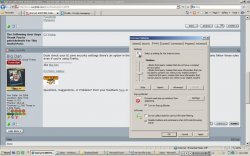
I think I am in the right place, this is where is was showing:
 

Attachments

  • Untitled.jpg
    Untitled.jpg
    104.9 KB · Views: 4
That is a more common problem than anyone would think. We have seen it a few times lately and have not tracked down the cause. Many people are blaming a recent MS security patch.

There are multiple causes, but come down to Outlook not knowing what to use as an app to handle a web link. If you Google the error text, you will get some useful info. One of the most common fixes is to go into IE, Internet Options, Advanced, reset internet explorer settings to their default condition.

Scott
 
Thanks Scott, I just did that and restarted Outlook and IE, and it is still doing it.

This really is a hinderance to me because I use so many links from emails, I have to get this fixed soon.

I wish I had outlook express on here so I could use it instead.
 
Thunderbirds address book is a nightmare.

One of the most insane import functions you could imagine.

When you are dealing with going on close to 11,000 contacts now in my Outlook, it is really something that is not an option for me. Plus, I absolutely refuse to pay for another program when I spent close to $500 for the version of Office I have.
 
Ok, more proof I seriously do not get computers at all.

I switched and made FF my default browser, and now everything in Outlook works. Mail Merge and the issue with the links are gone!
 
I didn't know you had Firefox. That's the easy fix. If you switch it back to IE now that will probably work also. The underlying cause of the problem is a registry setting that gets confused. Switching to another browser reset the registry.

I would leave it on Firefox, but if you need to you can set it back to IE. Personally I use Firefox and have the IE View add-on so I can right-click in a Firefox page and open that page in IE if it uses IE only coding.