Bought a new Home NAS

To many ads? Support ODJT and see no ads!

steve149

Shine on you crazy diamond
Staff member
Sep 26, 2011
28,175
45,948
Connecticut
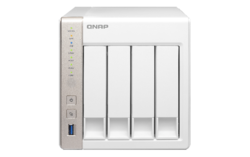
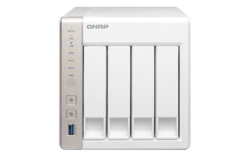
Picked up a QNAP TS-451 4 bay Network Attached Storage unit to be my home "server" .. replacing a Lenovo i5 box I had setup with Windows Home Server 2011 (which I never really cared for). Newegg had it on special a few weeks ago for $349. Currently I put 2 WD Red (NAS) 2Tb discs in it, one I already had, in Raid 1 (disc mirroring). Looking for a good buy on a pair of 2-4 Tb NAS drives to add to it.

Really nice. Feeds my TV, I can access files from the internet .. lots of capabilities to explore.

TS-451.png
 
Picked up a QNAP TS-451 4 bay Network Attached Storage unit to be my home "server" .. replacing a Lenovo i5 box I had setup with Windows Home Server 2011 (which I never really cared for). Newegg had it on special a few weeks ago for $349. Currently I put 2 WD Red (NAS) 2Tb discs in it, one I already had, in Raid 1 (disc mirroring). Looking for a good buy on a pair of 2-4 Tb NAS drives to add to it.

Really nice. Feeds my TV, I can access files from the internet .. lots of capabilities to explore.

TS-451.png
I had a similar product a few years ago (I believe it was a Netgear product), but it didn't last long... the cooling was inadequate and it overheated. Since then I've built dozens of them. I used an old PC that worked fine, but was obsolete as far as running Windows. I installed FreeNAS on it and put a few 1TB hard drives in it (RAID 5). I use it to run automatic backups to from my home computers. Now I have another NAS built from another obsolete PC running NAS4Free, which is a derivative of FreeNAS. I use that one for backing up my SuSe LINUX home server. Building NAS's from old PC's is pretty simple and a good way to recycle old PC's. If it wasn't for the fact that I buy rack mount server cases to house them, it would cost nothing more than the price of the hard drives.

Working for a state agency that was seriously underfunded, I needed a solution to a problem we discovered; the backup tapes of the servers in many of the counties were corrupted or (in some cases) the tapes were not being inserted in the server by the office staff, and when we went to restore missing files, there was no way to restore them. We had scores of old Dell GX-260's we had replaced with new PC's, so we used those old computers to build a NAS for each office by adding a 500GB IDE Drive (no SATA ports in a GX-260) and installing NAS4Free. Then we set up a RoboCopy job to copy new files to it every night, so we had another option if the files could not be found on the backup tapes. We also set up a copy job to the central office in OKC, giving us a third option. Later we started building the NAS's from GX-280's, with larger SATA drives. Needless to say, I'm a big proponent of NAS's.
 
  • Like
Reactions: steve149
I used to use a Windows 2000 box, then went to a Windows Server 2003 on a Dell (I got the license for free at a MS meeting), then to a couple of iterations of Windows Home Server. I wanted something smaller, that I could put into my media rack and have been looking for a NAS for a while. This one seemed to get a decent rating .. time will tell. I just found some 3Tb WD Red drives on sale for around $110 each, so I may order them tonight so I get 5Tb of RAID storage.

I thought about FreeNAS or a Linux setup, but I was looking for easy.
 
I used to use a Windows 2000 box, then went to a Windows Server 2003 on a Dell (I got the license for free at a MS meeting), then to a couple of iterations of Windows Home Server. I wanted something smaller, that I could put into my media rack and have been looking for a NAS for a while. This one seemed to get a decent rating .. time will tell. I just found some 3Tb WD Red drives on sale for around $110 each, so I may order them tonight so I get 5Tb of RAID storage.

I thought about FreeNAS or a Linux setup, but I was looking for easy.
The other thing I remember about my store-bought NAS is that access was very slow. I don't have that problem with my home-built NAS. I hope yours doesn't have the same problem.


Sent from my iPhone using Tapatalk
 
It seems to be fairly quick. I've moved my movie library (about 800Gb) over to it so far. I was going to back up my music and karaoke files to it, but there isn't any room (up to 1.7 Tb at this point), thus a need to add more storage immediately. Not sure if I'll keep the RAID 1 or switch to 5, 6 or 10. I also need to figure out how to back it all up to a 4/6Tb driver to keep offsite.
 
  • Like
Reactions: DJ Bobcat
  • Like
Reactions: ittigger
I put together my home server over Christmas, using UnRaid by http://lime-technology.com/ Right now I have 6 gigs of storage running in it. Ripped a lot of my movies to it so it's like a video library and a backup for all my music and karaoke as well.
Ron... for only 6 gigs of storage, you should have just used a thumb drive (LOL). You probably meant 6TB unless you only watch the movie trailers.
The unRaid product looks interesting. $29 is not a bad price if the product works for you. It sounds like they are using the JBOD RAID option (Just a Bunch Of Disks), and implementing it in their product. You can also do that in NAS4Free, and it's free. The only problem with JBOD is that it offers no protection of your data when a drive fails.


Sent from my iPhone using Tapatalk
 
  • Like
Reactions: ittigger
Bought 2 3Tb WD Red NAS drives last night. When they get here, I'll have to decide whether to keep the RAID 1 (mirror) arrangement to give me 5Tb of available space .. or .. to switch it all over to RAID 5/6 which will net me more usable space. I haven't put anything on it that I couldn't wipe .. so we shall see.
 
Ron... for only 6 gigs of storage, you should have just used a thumb drive (LOL). You probably meant 6TB unless you only watch the movie trailers.
The unRaid product looks interesting. $29 is not a bad price if the product works for you. It sounds like they are using the JBOD RAID option (Just a Bunch Of Disks), and implementing it in their product. You can also do that in NAS4Free, and it's free. The only problem with JBOD is that it offers no protection of your data when a drive fails.


Sent from my iPhone using Tapatalk
LOL Thanks I did mean 6TB thanks for the catch
 
  • Like
Reactions: DJ Bobcat
I vote Raid 5. Nice compromise of speed and redundancy. Calculating, you lose approx 1 disk to redundancy.

:)

Just wasn't clear if I can do RAID 5/6 with (2) 2Tb discs and (2) 3Tb disks. The disks won't be here until the end of the week.
 
I vote Raid 5. Nice compromise of speed and redundancy. Calculating, you lose approx 1 disk to redundancy.

:)
I'm pretty sure if you want to do RAID 5, all the disks need to be the same size. Didn't Steve say he has two 2TB's now and is adding two 3TB drives? Unless that box is doing something I've never seen, I don't think RAID 5 will work.


Sent from my iPhone using Tapatalk
 
  • Like
Reactions: Dan The Man
This is the box .. still trying to figure that all out ... https://www.qnap.com/i/uk/product/model.php?II=143


I can even run VMs on it ...

Will say the internet access to files works like a champ. They even have a iOS app for that.
That's a pretty cool product, Steve. Many more features than your typical NAS. It looks like they've developed a custom O/S based on LINUX, so you essentially have a LINUX server with a custom interface. I can do all the same things your NAS does on my SuSe LINUX server, but I'd have to download and install each application, and set them up, and there would be no consistency in the interface and integration with other applications would take a considerable amount of time to implement. There are a few media server distributions of LINUX, but nothing I've seen that compares to the QNAP.

That said, it looks like your model is based on a Celeron dual core CPU with 1GB of RAM. Are you planning to add more RAM (up to 8GB is permitted)? Also, when you create a VM, it could use only 1 core (2.41GHz), and with only 1GB of RAM, it could not be assigned much RAM, making for a pretty anemic PC. It probably wouldn't take much of the resources to run the NAS, so using the one core for a VM probably would not affect the performance of your much NAS while running the VM. But while they make it sound like you can run multiple VM's concurrently, I can't see how that's possible with only 2 cores.

As for the RAID configuration, the QNAP tutorials only show matching disk sizes. Even though they are showing 149.5 (SCSI disk size), it seems to confirm my contention that all the disks need to be the same size. If you think about the RAID concept though, it makes sense. RAID is intended to provide a level of fault-tolerance by protecting your data despite the loss of one or more disks. RAID 5 can sustain the loss of 1 disk, but if you had 3T and 2TB disks, how would it know whether you were going to lose a 2TB or 3TB disk? The best it could do is treat all disks as 2TB disks (lowest common denominator), but it does not really do that unless there's some kind of custom software (not true RAID) running on top of RAID. Anyway, it looks to me like you're going to have to buy a couple more disk drives (more 2TB's or more 3TB's). My NAS4Free would allow me to set up two different volumes, so I could pair the 2TB's on one volume, and pair the 3TB's on another. I'd then have two unique RAID drives. I'm not sure if you can do that with the QNAP, but it would not surprise me if it could.

The DJ Station app looks pretty weak as well. But what do LINUX geeks know about DJing; right (LOL)?

 
Last edited:
  • Like
Reactions: Dan The Man
That's a pretty cool product, Steve. Many more features than your typical NAS. It looks like they've developed a custom O/S based on LINUX, so you essentially have a LINUX server with a custom interface. I can do all the same things your NAS does on my SuSe LINUX server, but I'd have to download and install each application, and set them up, and there would be no consistency in the interface and integration with other applications would take a considerable amount of time to implement. There are a few media server distributions of LINUX, but nothing I've seen that compares to the QNAP.

That said, it looks like your model is based on a Celeron dual core CPU with 1GB of RAM. Are you planning to add more RAM (up to 8GB is permitted)? Also, when you create a VM, it could use only 1 core (2.41GHz), and with only 1GB of RAM, it could not be assigned much RAM, making for a pretty anemic PC. It probably wouldn't take much of the resources to run the NAS, so using the one core for a VM probably would not affect the performance of your much NAS while running the VM. But while they make it sound like you can run multiple VM's concurrently, I can't see how that's possible with only 2 cores.

As for the RAID configuration, the QNAP tutorials only show matching disk sizes. Even though they are showing 149.5 (SCSI disk size), it seems to confirm my contention that all the disks need to be the same size. If you think about the RAID concept though, it makes sense. RAID is intended to provide a level of fault-tolerance by protecting your data despite the loss of one or more disks. RAID 5 can sustain the loss of 1 disk, but if you had 3T and 2TB disks, how would it know whether you were going to lose a 2TB or 3TB disk? The best it could do is treat all disks as 2TB disks (lowest common denominator), but it does not really do that unless there's some kind of custom software (not true RAID) running on top of RAID. Anyway, it looks to me like you're going to have to buy a couple more disk drives (more 2TB's or more 3TB's). My NAS4Free would allow me to set up two different volumes, so I could pair the 2TB's on one volume, and pair the 3TB's on another. I'd then have two unique RAID drives. I'm not sure if you can do that with the QNAP, but it would not surprise me if it could.

The DJ Station app looks pretty weak as well. But what do LINUX geeks know about DJing; right (LOL)?


I was just looking at RAM .. going to replace what's there with (2) 4Gb sticks DDR3L (low voltage) SODIMMS .. probably Crucial.

I won't be doing any VMs .. thought it was neat that it could .. no, mainly file storage/backup and media serving.

I know I can do RAID 1 with (2) 2Tb and (2) 3Tb discs .. so, that will be the backup. I'll give it try hopefully this weekend when I get the drives.
 
I was just looking at RAM .. going to replace what's there with (2) 4Gb sticks DDR3L (low voltage) SODIMMS .. probably Crucial.

I won't be doing any VMs .. thought it was neat that it could .. no, mainly file storage/backup and media serving.

I know I can do RAID 1 with (2) 2Tb and (2) 3Tb discs .. so, that will be the backup. I'll give it try hopefully this weekend when I get the drives.

Just as a heads-up... one of the reviewers on Newegg points out that installing memory purchased from some vendor other than from QNAP voids your warranty. That may not be accurate, but something to keep in mind and check on before ordering:djsmug:.
 
Last edited: