I'm in need of a new printer.

To many ads? Support ODJT and see no ads!

MIXMASTERMACHOM

Mac Daddy DJ
ODJT Supporter
Oct 16, 2011
17,201
2,720
68
I have right now a Canon MX 340 that has stopped working. I can't get the alarm to shut off. I called Canon and they tried to help me out but that didn't work. So i need to get a new printer. Looking to spend less then $120.00. I want one that prints,scans,copy and fax. I also would like one that has a slot to load CD's to print on a CD. Please give me some suggestions. Also looking for one that you can refill the ink.

Oh yes and by the way some people in customer service are very rude. I called a number that wasn't Canon. It was one of those Technical support companies that charges you by the minute to help you with an issue. I was trying to get the right Canon number. I kept telling him what i wanted and eventually he hung the phone up on me. What a d*** head.
 
Last edited:
I just bought an HP Officejet 6700 this past Thursday to replace a Canon MP830 whose USB port failed the day before. Picked it up for $110 from OfficeMax after using one of their $10 discount cards.

Im not familiar with the MX 340. The MP830 was a great machine and served me well for the time it lasted. This is my first HP model and so far I like the feature set. It is a little louder than the Canon but appears to be a good unit.
 
  • Like
Reactions: 1 person
Aside from the HP Laserjet's, the ONLY printer (especially all in one's) I'll buy will be from Canon. As with most things in life, you get what you pay for. Quality and low price are usually not found together. Been there, played with the rest.
 
Oh yes and by the way some people in customer service are very rude. I called a number that wasn't Canon. It was one of those Technical support companies that charges you by the minute to help you with an issue. I was trying to get the right Canon number. I kept telling him what i wanted and eventually he hung the phone up on me. What a d*** head.

You wouldn't call McDonald's to ask for Burger King's phone number, would you? Why on earth would a tech support company that charges by the minute give you the number for a different service department?
 
I missed that part Brendan. Great question. However, earlier in the message he says he called Canon.

Called Canon here:
I have right now a Canon MX 340 that has stopped working. I can't get the alarm to shut off. I called Canon and they tried to help me out but that didn't work.

Called someone else for a number to call Canon here:
Oh yes and by the way some people in customer service are very rude. I called a number that wasn't Canon. It was one of those Technical support companies that charges you by the minute to help you with an issue. I was trying to get the right Canon number. I kept telling him what i wanted and eventually he hung the phone up on me. What a d*** head.

I would like to think that calling Canon would have been able to give you the 'right' Canon number. Kinda like calling Microsoft and asking for a number to Apple support - then getting upset because they won't give it to you.
 
Last edited:
I worked for HP for 20+ years, so I'm a little biased. I would opt for the HP OfficeJet Pro 8600 Plus. I see it on sale for around $200. The difference is the Pro models use much larger ink tanks and though the ink is more expensive, you get much more out of them, so the cost per page is much lower. The 8600 Plus, will scan, fax, print and will also send via email, so instead of faxing to someone, you can scan a document and have the unit email it directly (without a PC). And it has ePrint, which will allow you to print from a smartphone or tablet. If you don't need scan-to-email, the basic 8600 will do and save you $50.

If you don't need color, you should look at the LaserJet Pro M1212nf, which is in the same ballpark.
 
  • Like
Reactions: 2 people
i have 3x printers here on a USB Server that I can also add other things that are USB, to the network

HP Color LaserJet CP1215 - Color Laser Network Printer (USB Server)

HP LaserJet 1010 - Black Laser Network Printer (USB Server)

Brother MFC-620CN + Scanner + Fax - Color Inkjet Network Printer (USB Server)


plus added on every system

CutePDF Writer
 
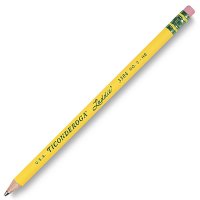
I like to print with one of these.. ;)
 

Attachments

  • pencil.jpg
    pencil.jpg
    15.7 KB · Views: 2
I picked up this past Friday a Canon PIXMA MX432 printer for under $90.00 from Micro Center. I haven't finished setting it up yet. I'll do that later this storm is a big mess. Everything is shut down.
 
LOL


  • PROSSmall size. Standalone copier and fax. Faxes from PC hard drive. Automatic document feeder. Has Wi-Fi.
  • CONSManual duplexing only. Low paper capacity. High claimed cost per page.
  • BOTTOM LINEThe Canon Pixma MX432 Wireless Office All-in-One fits best as a personal printer in a home or small office with light duty print needs.

BY M. DAVID STONEA close cousin to the Canon Pixma MX372 Office All-in-One ($79.99 direct, 2.5 stars), the Canon Pixma MX432 Wireless Office All-in-One ($99.99 direct), is the next step up in Canon's office inkjet line, adding WiFi and slightly faster speed. As with the Canon MX372, the MX432 is aimed primarily at home and micro offices, although it can serve as a personal printer in any size office. However, it also shares the MX372's high running cost, which limits its attractiveness unless you don't print a lot of pages.

Like the Canon MX372, as well as the Editors' Choice Brother MFC-J430w ($100 street, 4 stars), the MX432 is unusual for an inkjet in this price range for focusing more on features suitable for the office than on home-oriented features like photo printing. However, it's a little more suited to the dual role of home and home office than the Canon MX372, thanks to the its ability to print directly from PictBridge cameras.
Office-centric features include printing from and scanning to a PC, faxing from a PC, and working as a standalone copier and fax machine. In addition, you can scan multi-page documents and legal size pages easily thanks to a 30-page automatic document feeder (ADF) that supplements the letter-size flatbed. Paper handling is limited, with a 100-sheet capacity, manual duplexing only, and no paper handling options, but it should be enough in most cases for a personal printer.
Setup and Speed
For my tests, I installed the MX432 on a Vista system using its USB connection. Setup was typical for the category. As I've already suggested, the printer did a little better on speed than the Canon MX372. However, its speed is best described as no more than acceptable.
337792-canon-pixma-mx432-wireless-office-all-in-one.jpg

The MX432 clocked in our business applications suite (timed withQualityLogic's hardware and software) at an effective 2.2 pages per minute (ppm). That makes it a touch faster than the Canon MX372 at 2.0 ppm, and basically tied with the HP Officejet 4500 All-in-One ($99.99 direct, 3.5 stars) at 2.1 ppm. All three printers are a lot slower than the Brother MFC-J430w , at 4.3 ppm, which is one reason why the MFC-J430w is Editors' Choice.
Photo speed was slower relative to most other inkjets in this price range, averaging 2 minutes 8 seconds for a 4 by 6. The MFC-J430w was almost as slow, at 1:59, but most inexpensive inkjets are significantly faster. The HP Officejet 4500 , for example, took just 1:15 in our tests.
Output Quality and Other Issues
Output quality is another area where the MX432 does a bit better than the MX372, scoring below par for an inkjet for text, but dead on par for graphics and photos. It maintained readability a little better than the MX372 on fonts smaller than 8 points, but not enough better to earn a higher score. If you rarely use small font sizes, however, you should find the text quality acceptable.
Graphics output is easily good enough for any internal business need, including PowerPoint handouts and the like. Depending on how much of a perfectionist you are, you may also consider it good enough for output going to an important client or customer. Color photos were roughly equivalent to prints from a local drugstore, but I saw an annoyingly obvious tint in a black and white photo. If you print color photos only, however, that won't be a problem.
One issue that could matter a lot, depending on how much you print, is the high claimed cost per page, at 6.3 cents for a mono page and 13.8 cents for a color page. That's 2.5 cents more per page than the Brother MFC-J430w for both mono and color pages, which means that getting the Brother printer can save you $10 for every 400 pages you print.
For many people, the high running cost will be enough reason to cross this printer off their list. But if you don't print much, or don't mind the running cost, it can do what it promises. And if what you really need is an ADF-equipped scanner and fax machine plus the ability to fax files from your PC's hard drive, the Canon MX432 Wireless Office All-in-One can certainly fill that slot.


have a nice day!