Why you should check every file you rip.

To many ads? Support ODJT and see no ads!

DJ SVO

Mac Daddy DJ
Dec 21, 2006
15,635
2,892
54
Mexico City
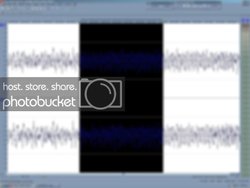
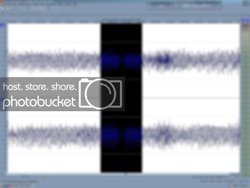
I know it easy to leave computers ripping overnight or by themselves. But theres always the chance error may arise. I'm anal about these things and it takes a long time to check everything but you'll avoid embarrassing moments or the smartass yelling Limewire or whatever. I'm redoing all of my CD's and LP's, singles to wav and mp3 and here is a pic of what may happen the first pic is of the error area where there's a small glitch that creates an audible miss on the track. The second pic shows the second audio extraction from the source CD with no error. Just a heads up.

PIC #1 GLITCH ON FILE
RIPERROR.jpg

PIC #2 NO ERROR ON FILE

RIPOK.jpg

So check your files ;)
 
Hi Scott,
Before doing the wav and mp3 conversion I had used Audiograbber and I would let it run on it's own for hours. @95% of the files did not have a problem and no error was ever thrown out.

Today I'm using both Sony Sound Forge 9 and Sound Forge 10 depending on which computer I'm working on. Again no error was shown but while listening to the track (wav) to check things out and see if there's clipping on if it needs little EQ adjustments I heard the glitch (Not the first time ) so I did the audio extraction again with Sound Forge and checked the file again with no problems.

The reason I started this thread is because a picture is worth 1000 words. I did the screen capture for both and you can clearly see the glitch and how small it is (Fraction of a second).
 
I did the screen capture for both and you can clearly see the glitch and how small it is (Fraction of a second).


Play the song faster, and you won't hear it as long... yorofl:
 
Play the song faster, and you won't hear it as long... yorofl:

or just use the blank space to get on the mic and say something insignificant.

"...HEY, IS EVERYBODY HAVIN' A GOOD TIME..."
 
If you are ripping large volumes at a time, sometimes you just have to play the odds. I listen to the sings that get decent rotation, but I don't have the time to listen to every one!!!
 
I ripp a CD and listen to them after its all done

but there are also error checking on the software I use

no problems for me what so ever
 
Funny, I just added about 600 songs to my library. I can't even remember having an issue before, but tonight I found about 6 songs with errors. I'm using iTunes, and you can laugh, but I must have ripped 10,000 songs with no errors before tonight.
 
Nothing goes into my working library, until I have listened to it in it's entirety. No ifs, ands or butts!


I actually hooked into the sound system at the bar I was at this week, and had no worries. I had my top 1,000 songs with me on the lappy, and on the Nook.

They had "Patrick Rock" playing on the jukebox, but we were sitting by the river watching dolphins and manatee. It was a laid back crowd, and they howled when I fired up Jimmy, and some Amazulu and Ska :)


I will not carry music I do not know completely, and cannot recite the lyrics.


You need to know the tools of your trade :)
 
I rarely get a problem. The few times I have, it was a disc in questionable shape or a cheap cdr compilation I'd made. Years ago, I also found a sometimes significant difference in brands of cd drives, regarding ability to faithfully rip discs. I'm not sure if the difference is less presently, or I'm just so seldom ripping discs anymore.
 
I would check the most used songs and then listen to the rest of your collection a little bit at a time and try to go through them. The computer where I got the error has a relatively new Pioneer DVD drive and my other 2 desk tops have Pioneer BluRay drives. They are periodically cleaned and the discs I've been re-ripping are in mint condition as I am very finnicky with my music collection. I attribute the glitches to a process running on the back ground that will cause a hiccup in the system.

Like I said I have all the time in the world needed to review my stuff but this is a heads up about what could happen. It's not a common occurrence but this time I thought it would be productive to take a screen shot of what happened before and after ;)
 
I would check the most used songs and then listen to the rest of your collection a little bit at a time and try to go through them. The computer where I got the error has a relatively new Pioneer DVD drive and my other 2 desk tops have Pioneer BluRay drives. They are periodically cleaned and the discs I've been re-ripping are in mint condition as I am very finnicky with my music collection. I attribute the glitches to a process running on the back ground that will cause a hiccup in the system.

Like I said I have all the time in the world needed to review my stuff but this is a heads up about what could happen. It's not a common occurrence but this time I thought it would be productive to take a screen shot of what happened before and after ;)

I would have to say it has happened to me on rare occasions where the software does not report the error as it feels it recovered the error or whatever. Remember computers are not perfect! (major understatement I know) I think that SVO's tip is a good one for all computer dj's to be aware of. How you handle the situation is up to each of us, some will listen to every song they rip, others will listen to those in rotation, some not at all. That's what makes us unique. Is any one method right? Yes but which one is dependent on the DJ's personality.
Thank's to SVO for taking the time to snap the screen shots and showing how small these errors can be.
 
Very few problems here - only glitches I ever had were with Audiograbber, but I like the program overall.

For my ripping I use EAC with external LAME. Has error checking and compensation which does an excellent job in my experience - catching the particular glitches that threw off Audiograbber.

And yes - minimize the number of processes or apps running while ripping - or better yet don't have any at all.
 
Nothing , absolutely nothing is ever going to be 100%.Thanks for the advice but I wont be checking each of my 14000 files one by one for any glitch.Its kindalike finding a needle in a haystack.However on important songs such as a bridal first dance, i always do listen. Those moments if a glitch occurs could be unforgivable ones.